Available now on MakeShort

Seedream 5.0 Pro AI Image Generator Online

Generate and edit AI images online with text prompts, reference images, 1K/2K output, multilingual prompting, and free starter credits. No separate provider account required.

Start creating in your browser with MakeShort free starter credits.

Upload
0

Seedream 5.0 Pro is preselected. Write a prompt, upload references if needed, then choose 1K or 2K before generating.

What is Seedream 5.0 Pro?

A ByteDance image model for polished prompt and reference workflows

This page is built for people who want to try Seedream 5.0 Pro, not just read about it.

Seedream 5.0 Pro is an AI image generation and editing model from ByteDance's Seedream family. It is built for prompt-based visual creation, reference-guided image editing, polished product visuals, social media creatives, posters, and structured design concepts.

On MakeShort, Seedream 5.0 Pro can be used directly in the browser. Write a prompt, upload reference images when needed, choose 1K or 2K output, and generate a new image without setting up a separate API account.

Text-to-imageImage-to-imageUp to 10 references1K and 2K output1:1 to 21:9 ratiosPNG or JPG

Why use it on MakeShort

A practical Seedream 5.0 Pro workflow for real creative tasks

MakeShort turns the model into a usable browser workflow with model selection, reference upload, ratio control, resolution choices, and free starter credits.

Available now on MakeShort

Sign in, choose Seedream 5.0 Pro, and start generating with free starter credits instead of waiting for separate access or configuring a provider account.

Best for searchers who want to try Seedream 5.0 Pro online immediately.

Text-to-image creation

Turn a written prompt into a complete visual direction for product ads, posters, thumbnails, moodboards, social posts, and concept art.

Describe subject, style, lighting, composition, and intended use for stronger results.

Reference-guided image editing

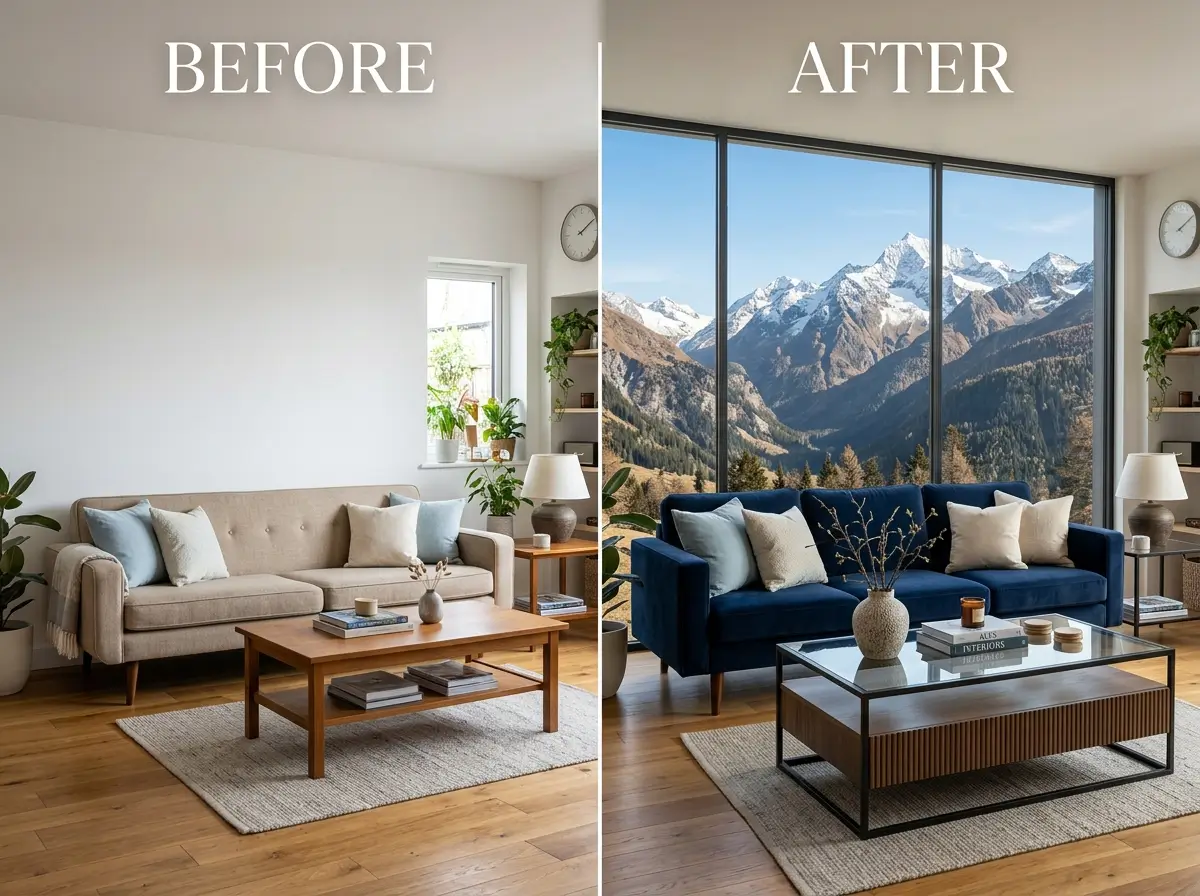
Upload reference images for image-to-image editing, style guidance, product variation, outfit changes, background replacement, or composition control.

MakeShort currently supports up to 10 reference images for Seedream 5.0 Pro workflows.

1K and 2K output options

Choose 1K for fast drafts and 2K when the result needs sharper detail for review, publishing, or creative handoff.

The page avoids fixed pricing language and keeps the focus on resolution-based workflow choices.

Structured prompt control

Guide complex images by describing foreground, background, subject, lighting, text area, color palette, and style separately.

This helps layered creative briefs without promising a separate layer-editing UI.

Multilingual prompting

Use multilingual prompts for localized campaign concepts, international social posts, educational graphics, and region-specific drafts.

Prompt in the language that best describes the audience and visual context.

What you can create

From product ads to video-ready image frames

Seedream 5.0 Pro works best when the prompt names the format, visual purpose, subject constraints, and target platform before generation.

Ecommerce product ads

Upload a product photo and ask for a clean campaign scene with better lighting, a premium background, and empty space for headline copy.

Product photoAd sceneBrand space2K review

Social media campaign visuals

Generate square, vertical, or widescreen visuals for posts, covers, thumbnails, ads, and short-form campaign assets.

1:19:1616:9Campaign

Posters and promo graphics

Create event posters, promo graphics, creator announcements, and typography-friendly compositions with planned text-safe areas.

PosterPromoText areaLayout

Infographic-style layouts

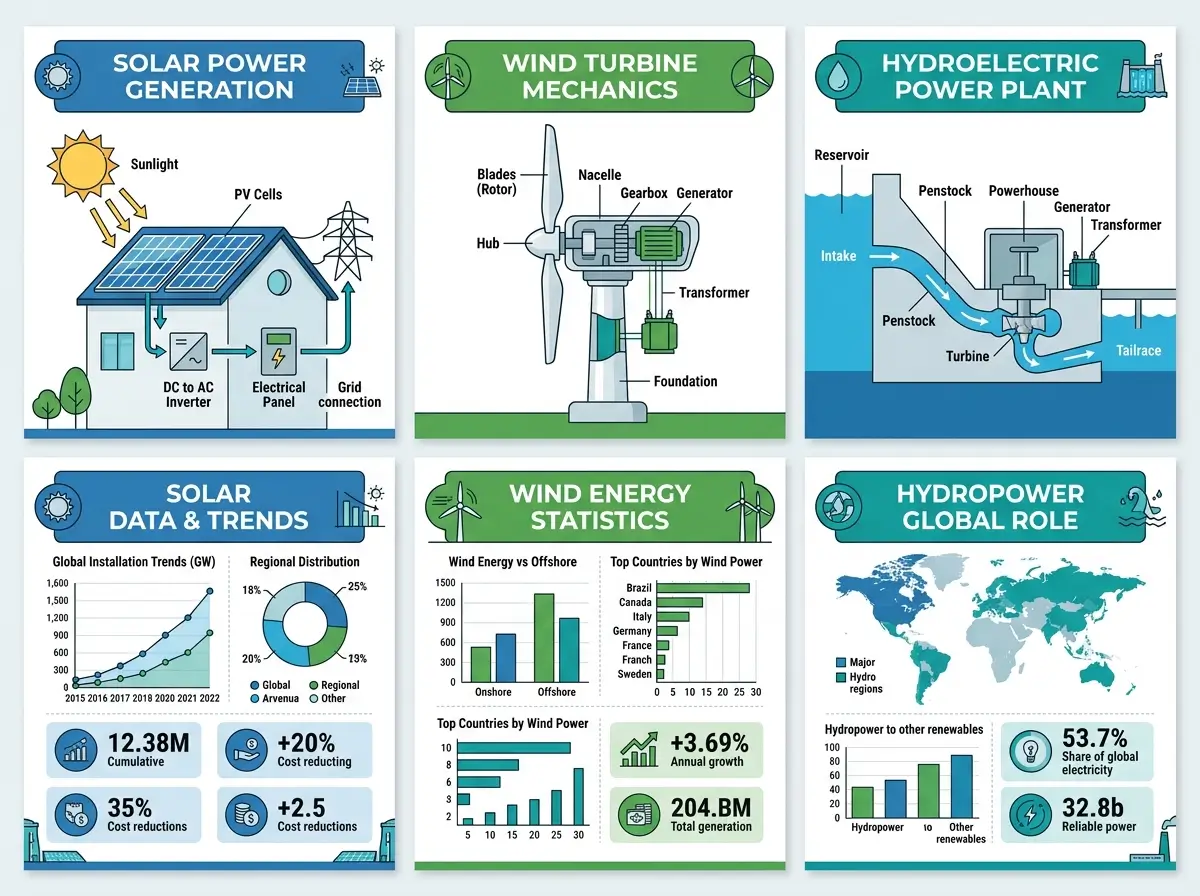
Use structured prompts to create educational or comparison graphics with sections, icons, labels, and a clear reading order.

SectionsLabelsHierarchyExplainers

Video-ready image frames

Generate still images that can later become input frames for image-to-video workflows when you need a stable product, character, or scene.

Still frameScene startProductCharacter

Model comparison

Seedream 5.0 Pro vs Lite, 4.5, Nano Banana Pro, and GPT Image 2

Use this table to position Seedream 5.0 Pro inside MakeShort without overclaiming features the page does not expose.

Seedream 5.0 Pro vs Lite, 4.5, Nano Banana Pro, and GPT Image 2
ModelBest fitHow to position it on MakeShort
Seedream 5.0 ProReference-guided creation, product visuals, campaign assets, structured creative briefsUse when the user wants a more controlled, polished image workflow inside MakeShort.
Seedream 5.0 LiteFast exploration, smart visual generation, broader high-resolution optionsUse when the user wants quicker ideation or higher configured resolution options in MakeShort.
Seedream 4.5Portraits, small-text image tasks, multi-image compositionUse as the earlier Seedream option for portrait and typography-focused tasks.
Nano Banana ProFast polished visuals and broad creative generationCompare when users want realistic or stylish outputs but may not need Seedream-specific reference workflows.
GPT Image 2General-purpose OpenAI-style image generation and editingCompare when users are deciding between model families and prompt behavior.

How to use Seedream 5.0 Pro

Generate a Seedream 5.0 Pro image in 7 practical steps

The workflow is simple, but the best results come from pairing a specific prompt with the right references, aspect ratio, and resolution.

1

Choose the model and describe the goal

Open MakeShort AI image generator, choose Seedream 5.0 Pro, and write a detailed prompt describing subject, style, lighting, composition, and intended use.

2

Add references and output settings

Upload reference images when you need product consistency, image editing, style guidance, or composition control. Then choose an aspect ratio such as 1:1, 9:16, or 16:9.

3

Generate, review, and refine

Select 1K for faster drafts or 2K for more detail, generate the image, then refine the prompt or upload clearer references if needed.

Prompt examples

Seedream 5.0 Pro prompt examples you can adapt

These examples are intentionally specific: they name format, subject, lighting, composition, constraints, and how the image will be used.

Product ad prompt

Create a premium ecommerce ad for a matte black wireless earbuds product. Keep the product shape accurate, use a clean studio background, add soft rim lighting, realistic reflections, and empty headline space on the left. Make the image feel modern, minimal, and suitable for a tech landing page.

Social media visual prompt

Create a vertical 9:16 social media campaign visual for a summer skincare launch. Use a bright outdoor mood, soft natural shadows, fresh water reflections, peach and white color tones, and a clear center product focus with empty space at the top for a short title.

Reference image editing prompt

Use the uploaded product image as the main reference. Keep the product design, proportions, and material accurate. Replace the background with a clean premium bathroom shelf scene, improve the lighting, add realistic shadows, and keep enough negative space for brand copy.

Infographic prompt

Design a 4:5 infographic explaining how cold brew coffee is made. Include a clear title, four labeled steps, simple icons, a small comparison chart, warm neutral colors, and a readable visual hierarchy. Keep the layout clean and avoid overcrowding.

Free trial and access

Try Seedream 5.0 Pro free on MakeShort

New users can start with free credits and try Seedream 5.0 Pro directly on MakeShort. Choose the model, write a prompt, upload reference images if needed, and generate AI images online without setting up a separate provider account.

Try Seedream 5.0 Pro Free
MakeShort browser tool

Try Seedream 5.0 Pro online with free starter credits.

Text-to-image and image-to-image

Generate new visuals from prompts or upload references to guide editing, consistency, style, and composition.

Output options

Choose 1K for drafts or 2K for sharper results, then download in PNG or JPG.

Seedream 5.0 Pro questions

What is Seedream 5.0 Pro?

Seedream 5.0 Pro is an AI image generation and editing model from ByteDance's Seedream family. On MakeShort, it can be used for text-to-image creation and reference-guided image workflows directly in the browser.

Is Seedream 5.0 Pro available on MakeShort?

Yes. Seedream 5.0 Pro is now available on MakeShort. You can select the model in the AI image generator and start creating with free starter credits.

Can I try Seedream 5.0 Pro for free?

Yes. MakeShort offers free starter credits for new users, so you can try Seedream 5.0 Pro online before deciding whether to keep generating more images.

Does Seedream 5.0 Pro support reference images?

Yes. MakeShort supports reference-image workflows for Seedream 5.0 Pro. You can upload images to guide editing, product consistency, style transfer, background changes, or composition direction.

How many reference images can I upload?

MakeShort currently supports up to 10 reference images for Seedream 5.0 Pro. Use fewer, clearer references when you want stronger control over the final result.

What resolution does Seedream 5.0 Pro support on MakeShort?

MakeShort currently supports 1K and 2K output options for Seedream 5.0 Pro. Use 1K for quick drafts and 2K when you need more detail.

What aspect ratios can I use?

Seedream 5.0 Pro on MakeShort supports common image ratios including 1:1, 2:3, 3:2, 3:4, 4:3, 9:16, 16:9, and 21:9.